
Unlink an account from Agency
Follow the steps below to unlink an account from agency:
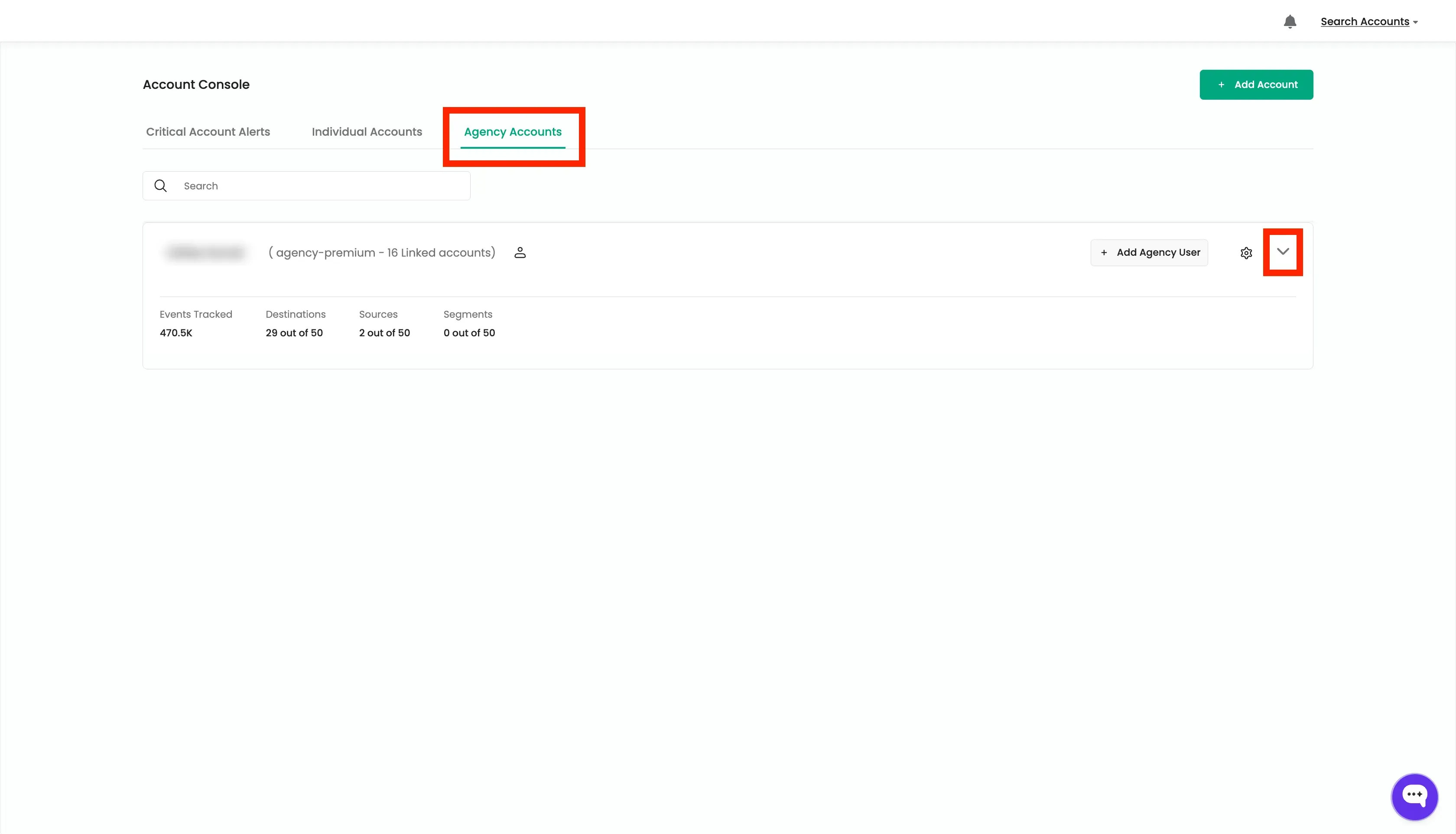
- Go to the Agency Console and click on the “Agency Accounts” tab. Click the drop down arrow to view all the linked accounts.
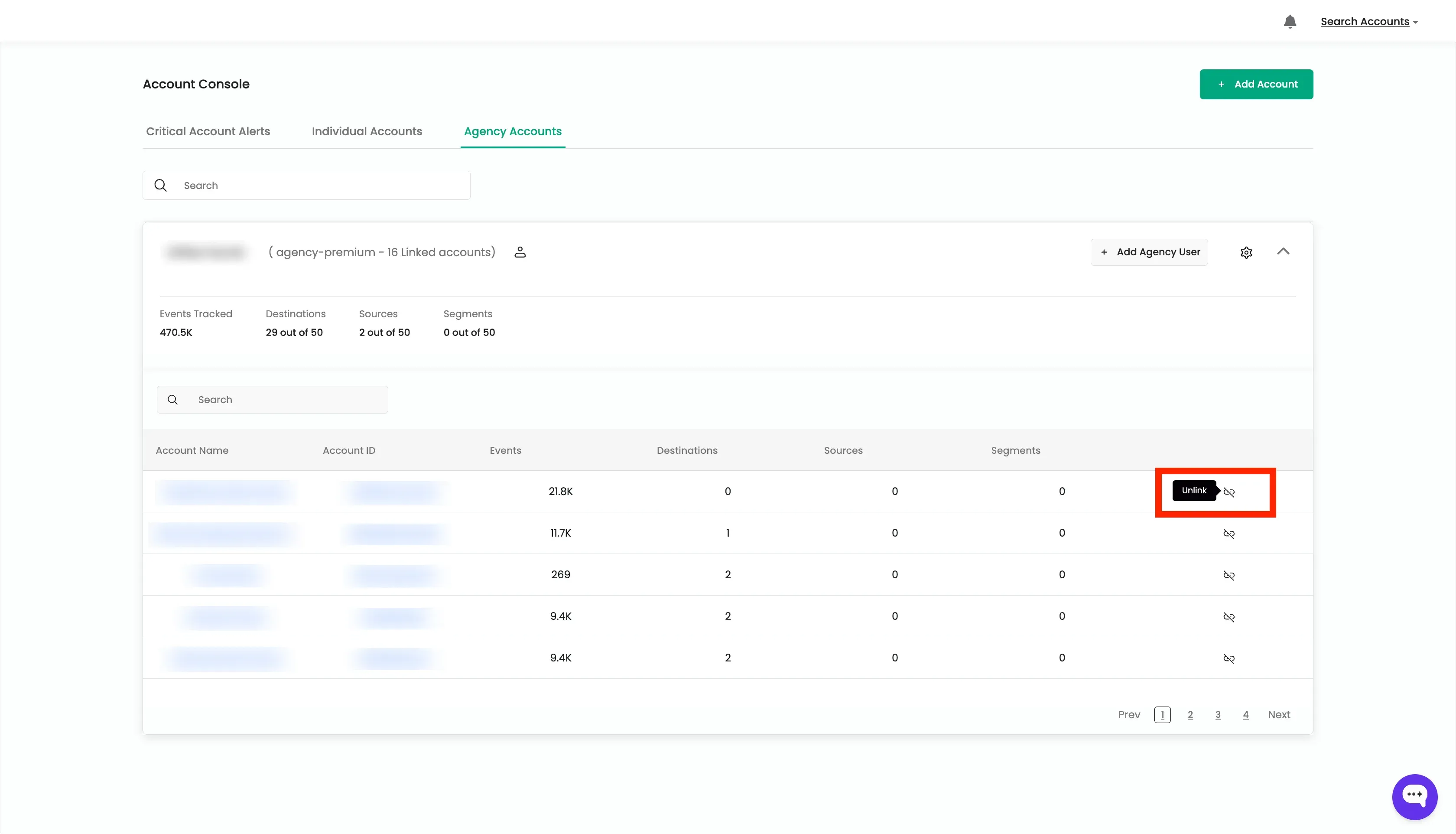
- Search for the account you want to unlink from the agency.
- Click on the “Unlink” icon to unlink the account from the agency and confirm the action.
- The account will be unlinked from the agency and it will appear in the Individual Accounts tab.
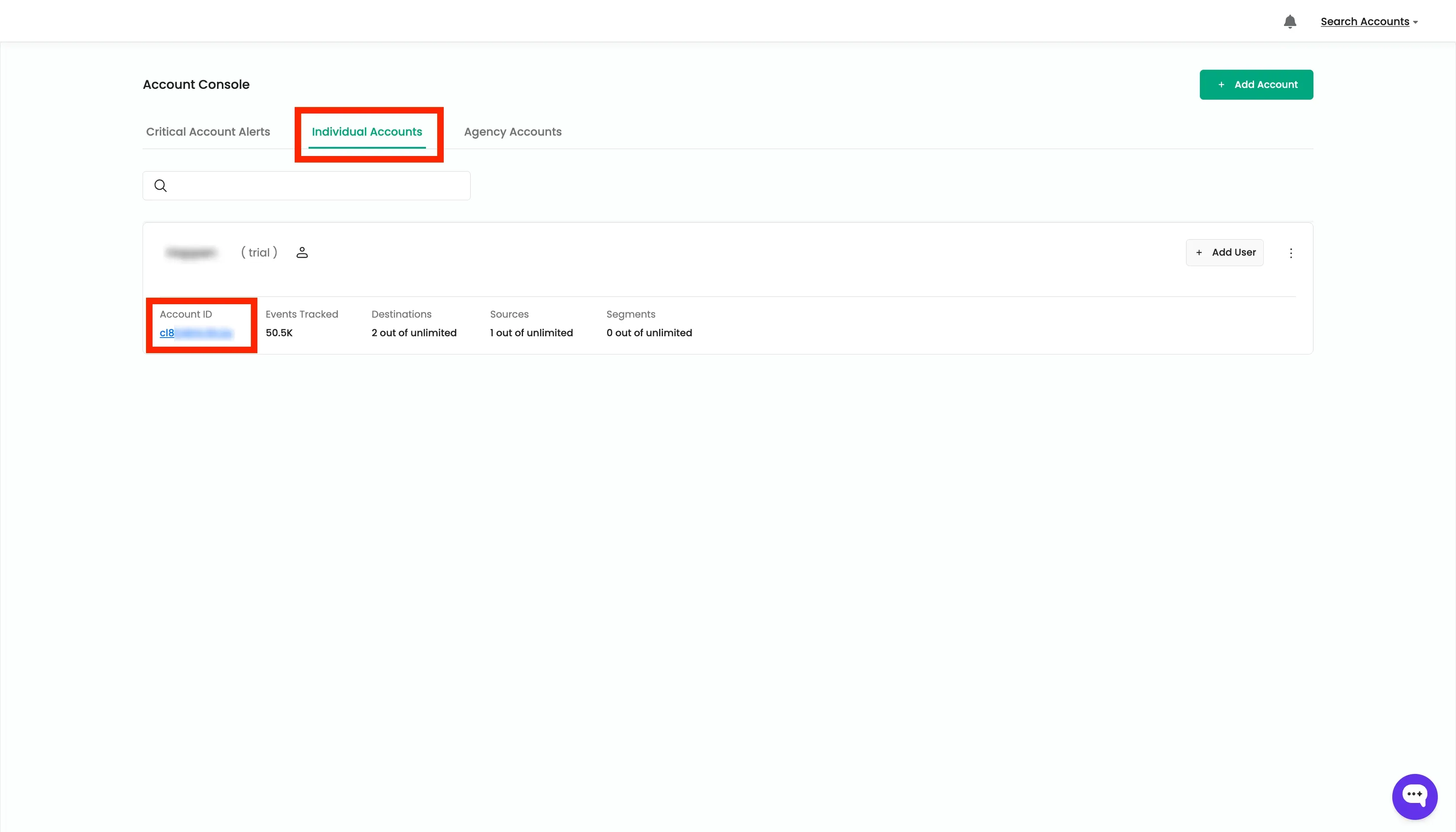
- Since this account is unlinked from the agency, the billing will be done to this individual account.