In this blog, I’m not planning to cover the basics of what is UTM tracking, why it is, blah, blah.
Because you probably know that and I hope you are already a pro.
If not, then oops… you have really got to learn UTM 101, to understand the advanced UTM tracking that we are gonna discuss in the blog. (PS: I’d give a brief anyway)
So in this WooCommerce UTM Tracking guide, we will majorly diving into the measuring, reporting, and retargeting part, like (First click, last click, Session enrichment, Attribution drive, 360-degree view journey, cross domains, retention marketing), and more. Let me keep it simple and focus only on the advanced strategies of UTM tracking for your WooCommerce store.
Let’s jump right in.
What is UTM Tracking?
UTM tracking lets you see exactly where your website traffic comes from. These small tags tell you which platform, campaign, or ad brought the user to your site. It has three parameters, namely
-
Source
-
Medium
-
Campaign
Why it Matters.
Without UTM parameters, you’re basically guessing which channel or campaign brought the user in. With proper UTM tracking, you finally get clean, reliable attribution: you know where the user came from, what influenced them, and which campaign deserves credit for the sale.
How to Set Up WooCommerce UTM Tracking?
Follow the exact steps below to setup your UTM in place:
Step 1: Add UTMs to Your Links
Create a UTM with the help of any UTM builder. Add these three key UTM parameters you need to know:
-
utm_source - where the traffic comes from (Meta, Google, Email, Influencer)
-
utm_medium - type of traffic (cpc, ad, newsletter, organic_social)
-
utm_campaign - campaign name
With proper UTM tracking, you can clearly see how a customer moved from their first click to their final purchase.
Step 2 - Use These Tagged Links in Your Ads & Campaigns
Where to place your UTM link:
-
Meta Ads - Website URL field
-
Google Ads - Final URL / Tracking template
-
Email newsletters - CTAs
-
Influencer promotions - Unique UTM links per influencer
Step 3 - Track Conversions Inside Analytics
Once UTMs start flowing, you can see conversions in GA4 (Reports - Acquisition - Traffic acquisition)
You will see: utm_source, utm_medium, utm_campaign, Conversions, Revenue
Add that’s it. Woocommerce UTM tracking is done. (if you want to be just another mediocre marketer)
There are multiple things that you can do as a pro marketer, and the list is down below if you are interested.

Advanced UTM Tracking that Every Pro Marketer Does
Understand Exactly Which Campaigns Drive Revenue by UTM Tracking
With Advanced UTM tracking, you can track users’ journey and see exactly which click (first or last) attributed the user to purchase on your WooCommerce store.
So, How First & Last Click Attribution Works?
Imagine a customer initially finds you through a Meta ad, later searches on Google, and finally converts through a retargeting ad or email.
First-click gives credit to Meta, while last-click attributes to the email.
In reality, the sale happened across the whole journey, which these models don’t capture.
With a proper UTM tracking setup in place, you can see through which the customers landed on your woocommerce store and what influenced the purchase and which campaign actually made the sale.
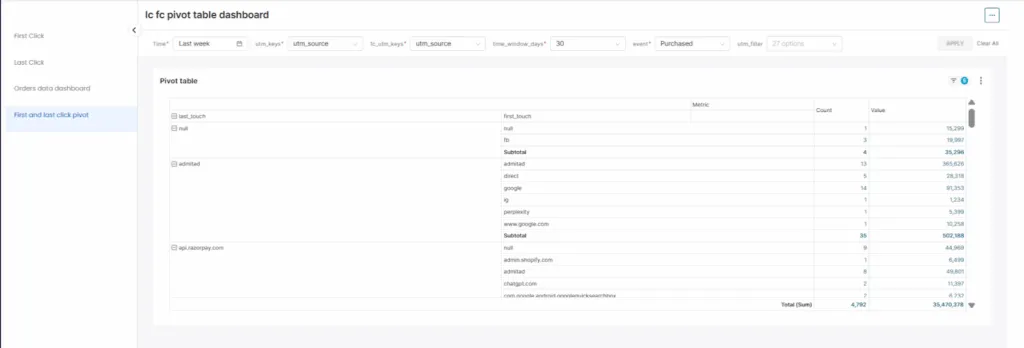
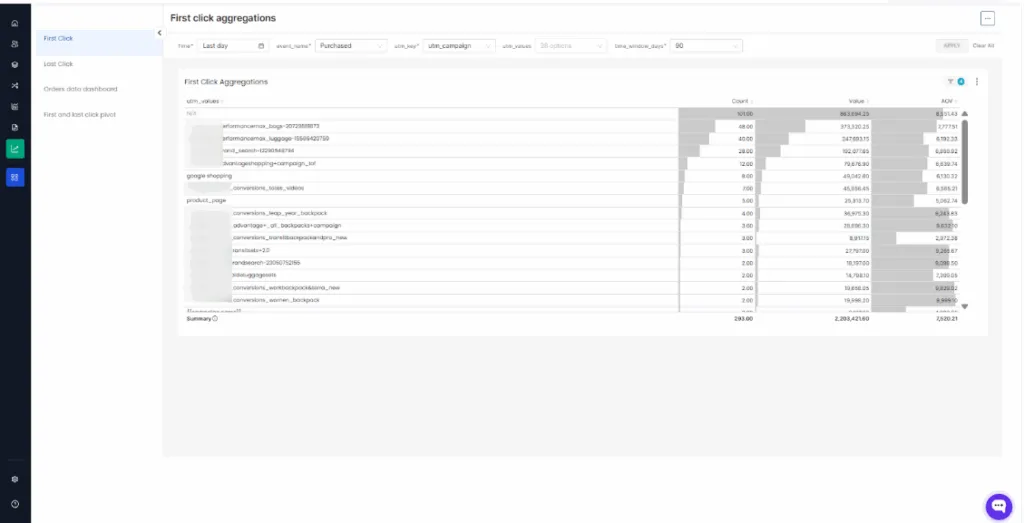
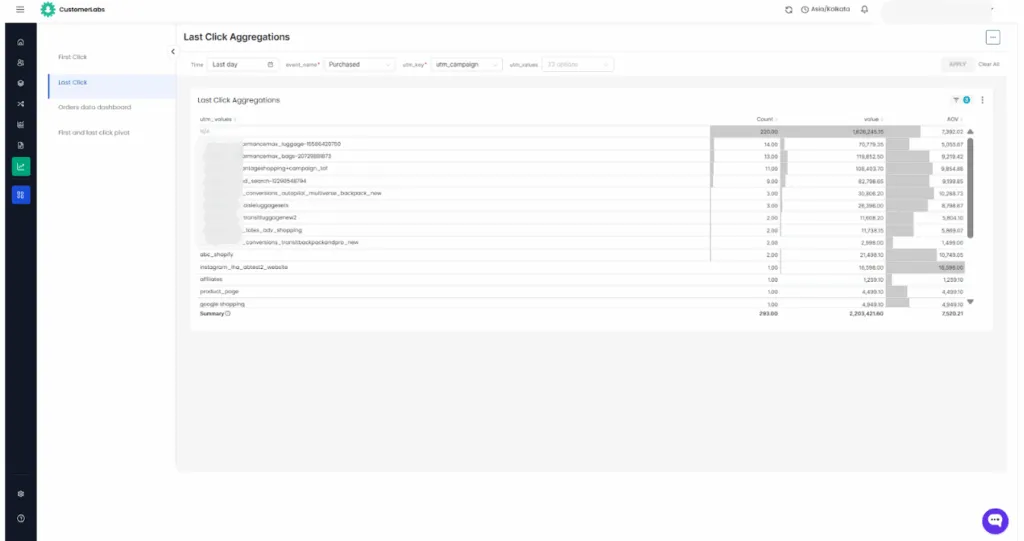
Now, you have a clear perception of first and last click attribution right, let’s figure out how we can enrich these click attributions and identify the user’s complete journey.
Enrich and Build a 360° View of Every Customer Journey
-
Data enrichment simply means making your customer data meaningful.
-
Instead of seeing random visits, you track where users came from and connect their visits over time.
-
You add context like what pages they viewed, what they added to cart, and what they bought.
-
This gives you a clear customer journey you can use to optimize and retarget more effective.
By enriching UTM data across sessions, every touchpoint connects into one journey. This 360° customer journey helps WooCommerce marketers understand what truly drives conversions, build smarter audiences, personalize retargeting, and make confident decisions based on the full path to purchase, not just the final click.
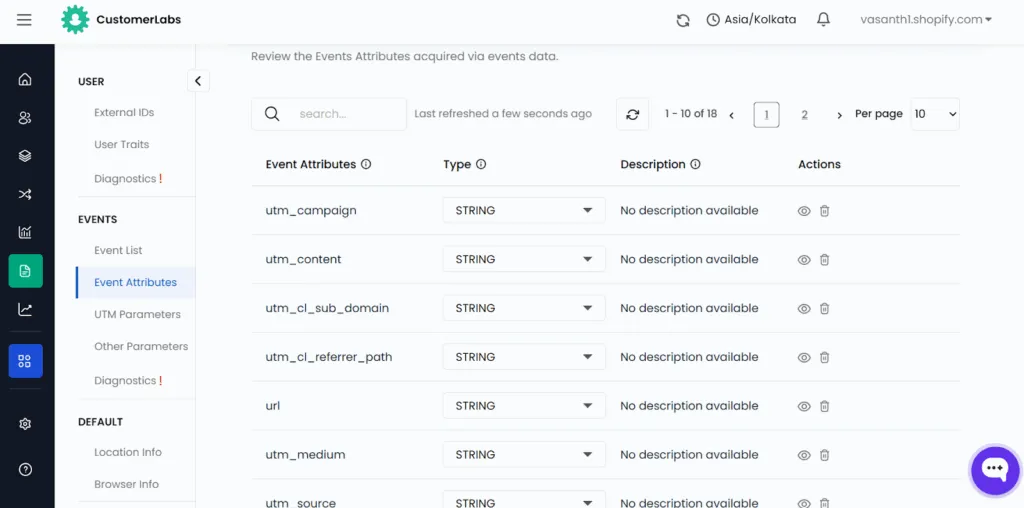
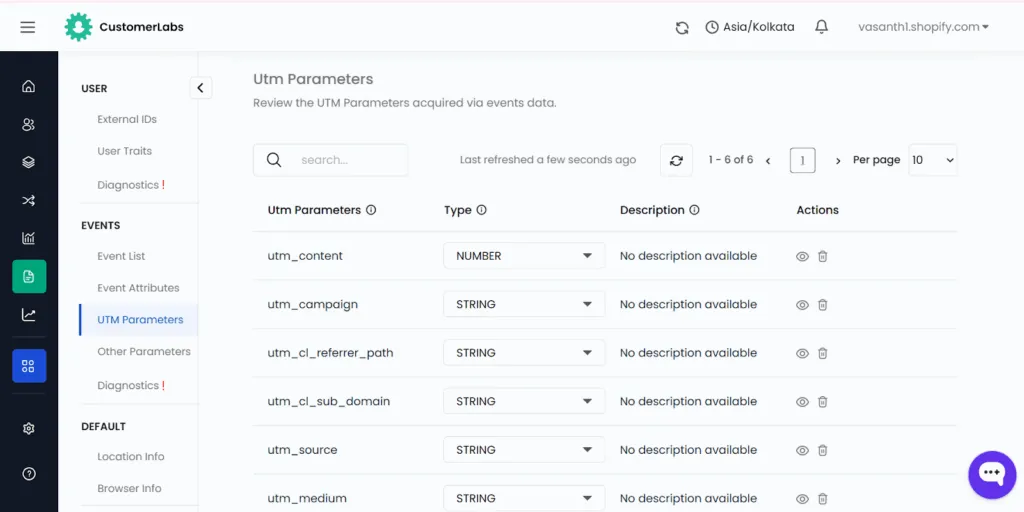
Need more clarity on how CustomerLabs’ 360-degree view maps the customer journey? Sign up for our 14-day free trial, and if you face any issues, schedule a call with our experts.
Let’s get clarity on how the audience will move across platforms.
Seamless Cross-Platform Audience Movement Across Meta, Google, and TikTok
Your UTMs don’t have to end in your analytics dashboard; they become portable, action-ready audience segments.
Every UTM visit, campaign touch, and session is captured as first-party data, stitched to a unified user profile, and instantly made available for activation across all your ad platforms.
So the same user who clicked on a Meta ad with utm_campaign=new_customer_offer can be retargeted inside Google, TikTok, or anywhere else without relying on cookies or patched-up hacks.
The moment a user hits your site through a specific Meta campaign, it automatically recognizes the UTM parameters, enriches the user profile, places them into the right audience, and syncs that segment to Google Ads in real time.
One source of truth. One audience. Multiple platforms working in sync.
As all we all know, platforms keep cookies stored for not more than 180 days, and this limits your retargeting window. But there is a way to beyond 180 days…
Retarget for 180+ Days Even When Platforms Forget Your User
Long-Term Retargeting for Impulsive Categories
Most ad platforms stop letting you retarget after 30-180 days, but your customers don’t operate on platform timelines. When you do proper UTM tracking and store it
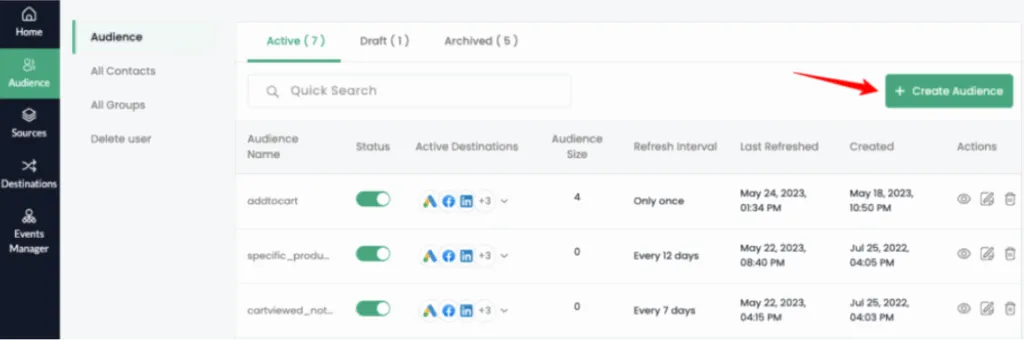
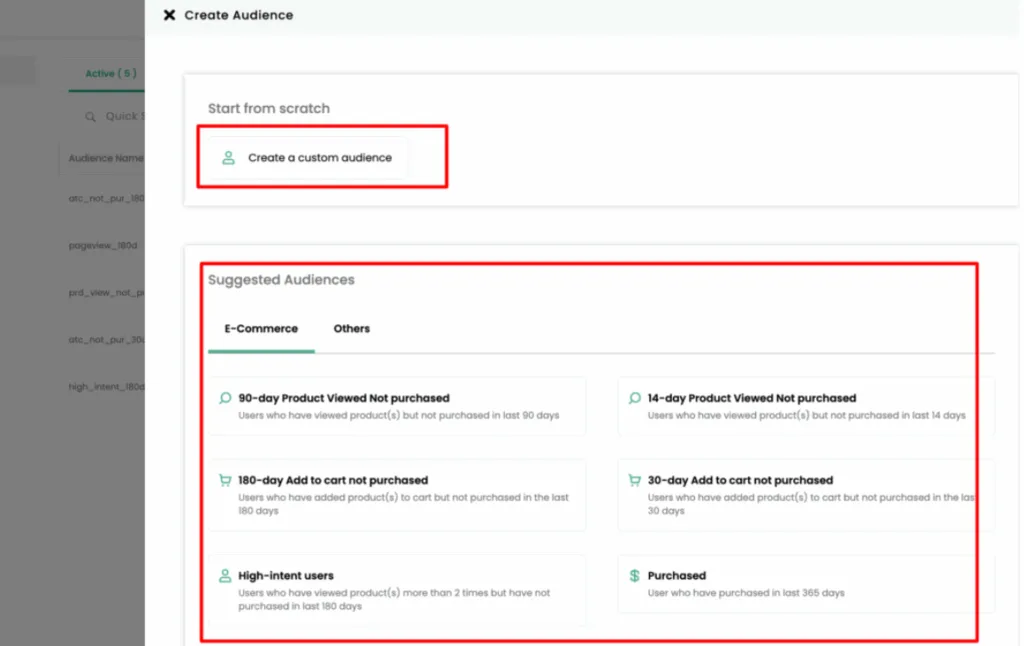
This is especially powerful for impulsive categories like fashion, beauty, and lifestyle, where buyers don’t convert once they come back every few weeks.
By retaining historical UTMs and behavioural signals, you can re-engage past visitors with context-rich campaigns even months later.
With advanced UTM tracking, you can go a step further by identifying seasonal intent, allowing you to build and activate audiences.
Audience Segmentation Based on Category, Interest, etc,.
With beyond 180 days retargeting window in place, you can do wonders when it comes to audience segmentation.
You can do based on categories like men, women, shoes, groceries, gadgets, gifting, or season-driven categories like Super Bowl, Black Friday, or Christmas. With proper UTM tracking, you have the historical data with the long-term behavioral patterns of customers along with their UTM attributes.
When demand goes up during festivals or sales, you don’t have to start from scratch.
You already have audience groups built from people who interacted with your store earlier, so you can reach interested users right away instead of showing ads to completely new, cold audiences.
This means:
-
Better ROAS during seasonal peaks
-
Higher repeat purchase rates
-
More accurate cross-category targeting
-
Stronger creative + offer alignment based on past journeys
Your categories become smarter because your signals don’t disappear. Because these audiences are built on long-term behavior and intent, not by every click.
The next step is making sure your campaigns don’t attract traffic that never engages. When low-intent users enter these segments, bounce rates rise, and that can quickly hurt performance.
That’s where filtering bad traffic becomes critical.
Reduce Bounce Rate and Filter Out Bad Traffic
With UTMs, you can:
Identify high-bounce audiences
- See which campaigns, platforms, or creatives are sending people who land on your site… and instantly leave.
Exclude them from future targeting
- Just remove these low-quality visitors from your Meta, Google, or TikTok targeting with a single rule; no more wasting impressions on people who never stay.
Improve traffic quality
- Shift your budget toward the groups that actually pay attention and engage. When the right people click, everything in your funnel works better, so as a result, your traffic quality will automatically improve.
Save wasted spend
- Every time you filter out a bad audience/inappropriate audience, your ad sets get cleaner, and your platforms learn faster, which means less wasted money and more signal going to the right users.
Once you remove bad traffic, you’re left with genuinely interested people who browse, engage, and think about buying. At this point, marketing is no longer about getting more clicks, but about building trust.
With this high-intent audience, the focus shifts to sending follow-ups that match what users actually did and showed interest in, instead of generic messages.
Improve Retention Marketing
Retention doesn’t happen by sending more emails; it happens by sending the right message to the right user at the right moment.
Instead of generic lists, you build high-intent retention segments enriched with real behavioral data.
UTMs help you segment your email audiences based on:
The campaign they came from
- Retarget people with messages that match the exact ad or promise that made them click in the first place, so your follow-up feels natural, not random.
Product category viewed
- Send follow-up based on what they actually browsed. Clothes, gadgets, beauty, home, whatever they showed interest in becomes the focus of your next message.
Region
- Tailor your offers by location. Local promotions, regional pricing, delivery timelines, everything becomes more relevant when it fits where the user is.
Cart behavior
- Create smarter and innovative journeys for people who added to cart, abandoned, came back again, or finally purchased. Each action gets the right nudge at the right time.
When retention is powered by real intent and behavior, every follow-up becomes more relevant and effective. Instead of guessing what a customer might want, you respond to what they’ve already shown you through your UTM tracking.
This brings us to the bigger picture of how all these improvements come together. Let’s conclude.
Conclusion
UTMs aren’t just tracking tags; they’re the signal that gives performance marketers clarity, control, and confidence.
With CustomerLabs, that signal becomes actionable: you get clean attribution, cross-platform retargeting, long-term audience memory, better traffic quality, smarter retention, and a full 360° view of every customer journey.
By transforming simple UTM data into revenue-driving insights, CustomerLabs helps WooCommerce brands optimize spend, target the right users, and scale without guesswork. Every click becomes context, every campaign becomes intelligent, and every decision becomes sharper when CustomerLabs powers your UTM tracking.
Don’t be late…Sign up for our 14-day free trial, and if you have any doubts, book a demo with our consultant who will guide you…..!!!