LinkedIn has rolled out its own Conversions API, allowing companies to send conversion events via server. While it may not be as advanced as Facebook’s CAPI, it’s a great tool for measuring both online and offline conversions.
The End of 3P Cookies and the Limits of 1P Cookies
With third-party cookies going away and first-party cookies not being very reliable (thanks, iOS), tracking conversions in B2B sales cycles, which are annoyingly long, has become a challenge. Small-ticket sales conversion windows range from 20-30 days, and big-ticket sales take even longer. The recent browser and iOS updates mean cookies expire before users convert to leads, breaking the attribution.
LinkedIn Identifiers: li_fat_id and Others
Similar to Meta and Google Ads, LinkedIn has introduced CAPI to send conversions via server-side. You’ll need to attach user identification parameters like email, LinkedIn First Party Tracking UUID, first name, last name, company name, title, and country code. Email or LinkedIn UUID is mandatory to pass conversion data.
Challenges with Email Identifiers
In B2B, many users sign up with LinkedIn using personal emails but use business emails to sign up on your platform. This mismatch can lead to attribution issues. To overcome this, LinkedIn includes the li_fat_id in URL parameters when a user clicks on an ad. This ID remains the same across domains, unlike GCLIDs or FBCLIDs which change with every click.
li_fat_id as an External Identifier
CustomerLabs discovered that the li_fat_id is always the same for a user. While GCLID and FBCLID change with each click, li_fat_id remains consistent across domains. So, we decided to retain the li_fat_id for as long as possible and update it when LinkedIn does.

The Annoying 7-Day Expiry
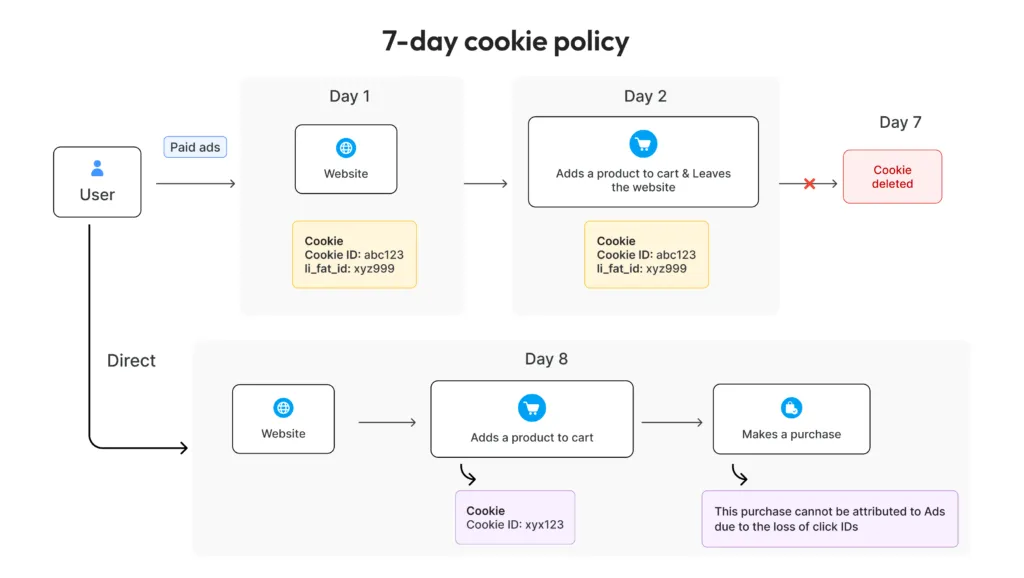
When a user clicks an ad, li_fat_id is included in the URL and saved as a first-party cookie. However, these cookies expire in 7 days, especially on iOS. CustomerLabs Stitcher 2.0 extends the life of this cookie using server-side cookies. If a user becomes a lead on the 8th day, the cookie might have expired, breaking the attribution.
CustomerLabs Stitcher 2.0: Converting li_fat_id into a Lifelong Cookie
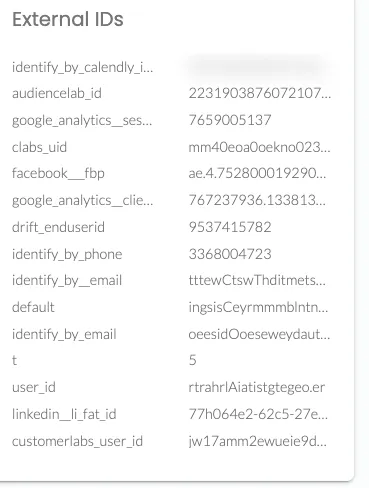
By implementing 1P domain tracking, we convert the li_fat_id into a lifelong cookie via server-side cookies. This ID is stored as an external ID in our system, maintaining a 360-degree view of a user. This means the ID lasts forever, improves event-to-profile matching, and helps understand the customer journey, thus increasing signal quality.
Full Funnel Tracking: Website to CRM
With CAPI and li_fat_id, businesses can track user activity from website visits to deal-won in the CRM. Here’s how we track this inside LinkedIn, connected with our website, CRM, and subscription billing system.
Website Conversions and Deduplication
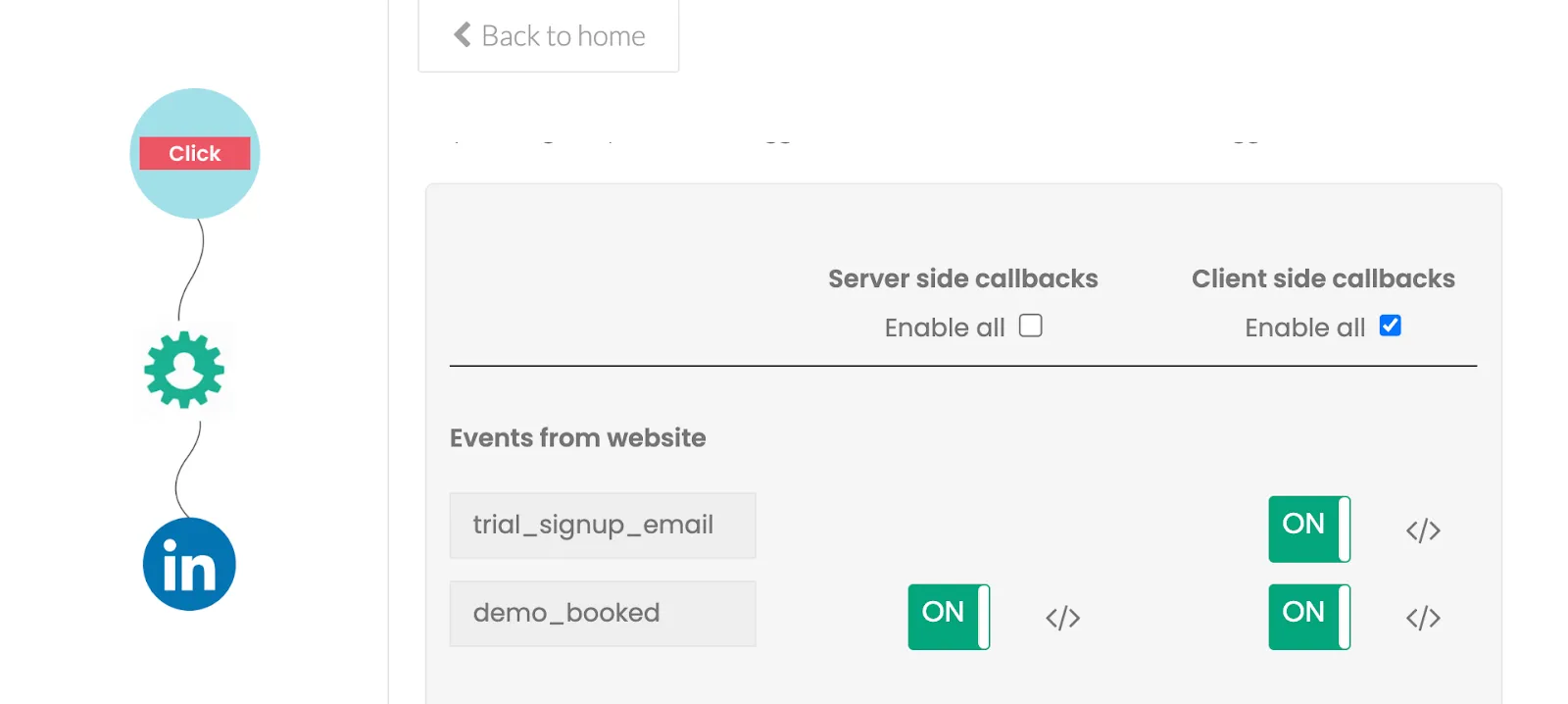
Send conversion events from your website to LinkedIn via the insight tag. Ad blockers and browsers blocking third-party scripts make this difficult, but LinkedIn’s CAPI allows sending these events server-side. Include the deduplication parameter (event ID) to ensure accurate conversion tracking.
Offline Conversions with CRM
Push bottom-funnel events from your CRM to LinkedIn. Capturing the li_fat_id allows attaching this identifier to CRM events, improving bottom-funnel tracking and providing insights into the number of qualified leads generated by LinkedIn campaigns.
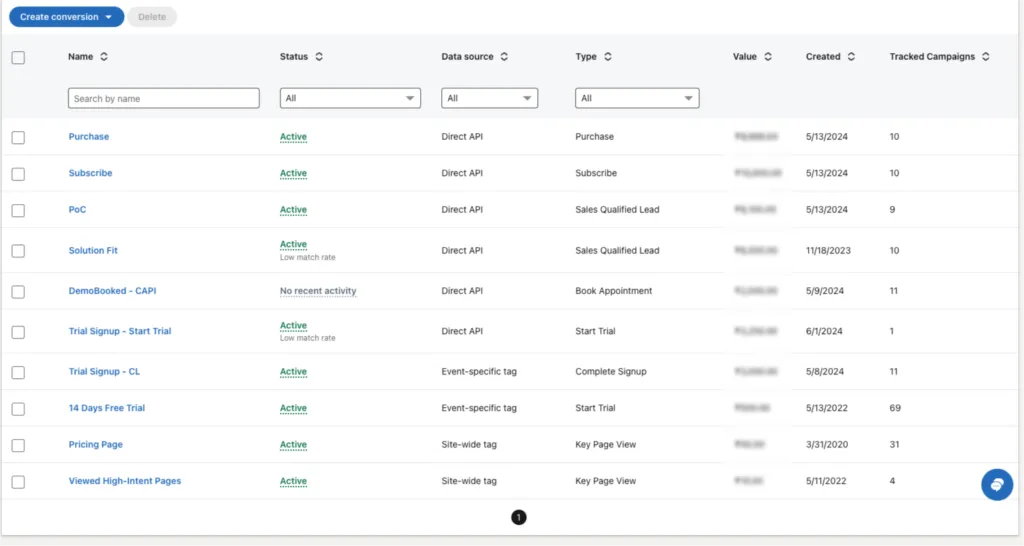
When you push all these events into LinkedIn Ads through Conversions API using CustomerLabs, you can see your entire funnel and how the users flow from one stage to the other stage of the funnel like below.
View-Based Conversions in LinkedIn
By passing li_fat_id with bottom-funnel events, LinkedIn can attribute conversions to your campaign even if the user didn’t click the ad but viewed it within your set conversion window.
Setup in Less Than 15 Minutes
Enable LinkedIn destination inside CustomerLabs, map the conversions, and you’re good to go. The conversions will be sent to LinkedIn via the insight tag and CAPI in real time, helping you maximize your ad campaign performance.