Not everyone who expresses interest in your solution gets to the next stage of the funnel. In fact, reports suggest that around 60% of the leads go cold after the initial conversation.
This hampers with the bottom of the funnel metrics, which forces marketers to try more new campaigns & experiments to generate more leads leaving these cold leads to slip.
For years, email has been the go-to channel to re-engage these cold leads. However, with declining email open rates and increasing email traffic, there is a good chance that your re-engagement campaigns can go unnoticed.
So, how can you cut through the noise & get in front of your cold prospects?
This playbook will help you use your CRM data to trigger personalized & innovative ads to your cold prospects that will motivate them to get back to you.
Step 1: Get your lead data flowing into CustomerLabs 1PD Ops by connecting your CRM
Start by connecting your CRM. CustomerLabs 1PD Ops
readily integrates with popular CRMs such as HubSpot, Freshsales, Pipedrive and more without writing a single line of code.
All you have to do is,
-
Navigate to Sources & Choose Freshsales from our Sources catalog
-
Now authenticate Freshsales by following the steps here
-
Post authentication, create separate workflows to bring in your contact, company & deal data from Freshsales
-
Filter incoming data to weed out irrelevant information
-
Based on the event type, all your CRM data will now be synced with CustomerLabs 1PD Ops
Or here’s a quick video on how you can integrate Freshsales with CustomerLabs 1PD OPs,
Step 2: Add Facebook as a Destination in CustomerLabs 1PD Ops
You will now be able to receive event, user & account data from Freshsales as and when updates are being made. All you have to do now is simply activate Facebook as a Destination in the .
CustomerLabs 1PD Ops will send your CRM event, user & account data to Facebook from Freshsales in real-time. You can even see the quality of the data being sent in the Event Match Quality section.
Here’s how you can connect & activate Facebook ad account.
Step 3: Custom Audience creation on Facebook
Using the CRM data that you’ve just synced, create a custom audience with all your leads marked as cold.
It might even be useful to create an in-between lifecycle stage for leads that you want to target with these ads. For example, you can mark these leads as ‘non-responsive’.
CustomerLabs 1PD Ops will readily send this data to Facebook & sync more leads as and when they are marked as non-responsive in the CRM in the future.
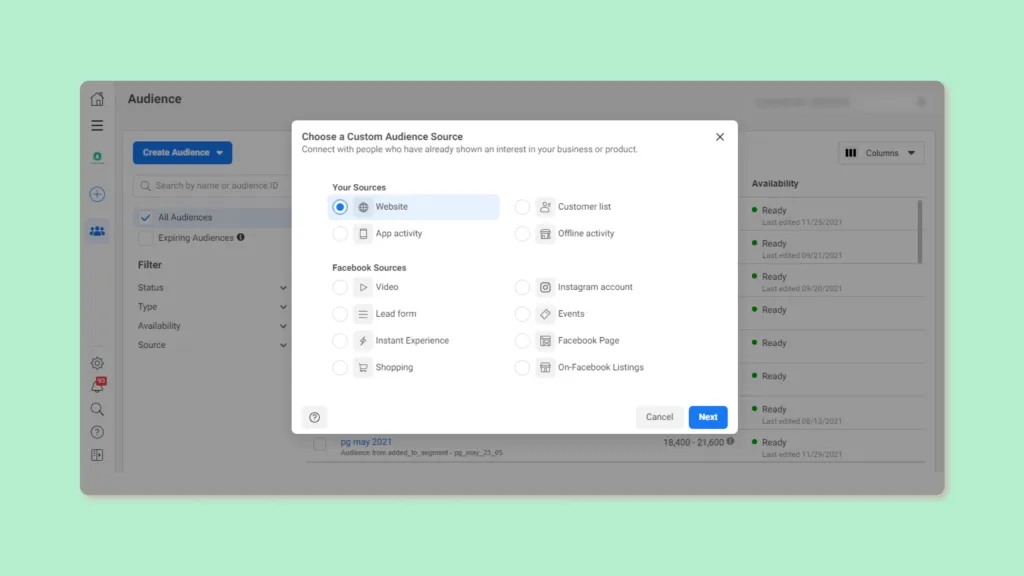
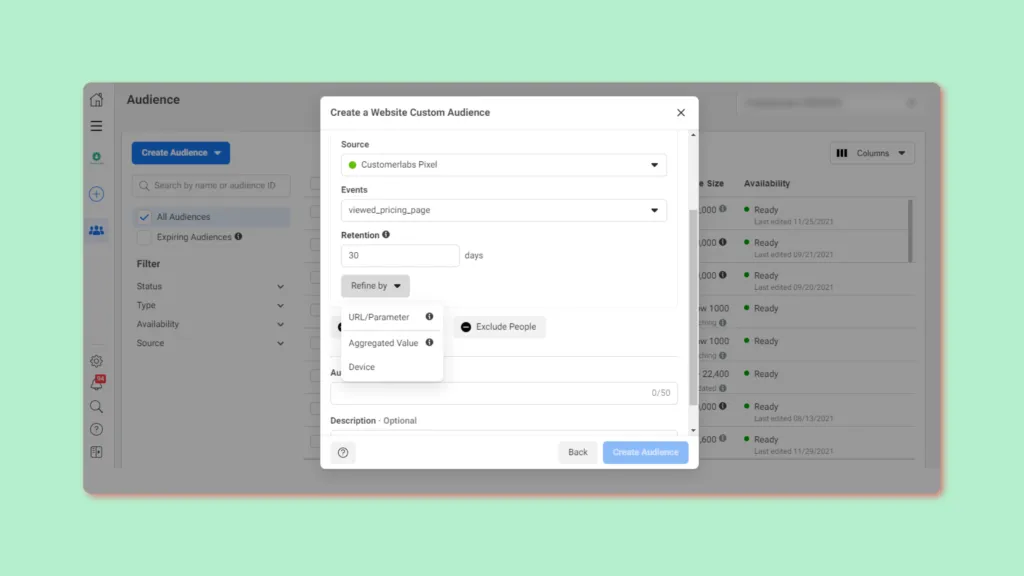
Now in your Business Manager, navigate to Audiences > Create Audience > Custom Audience > Website
Choose the CRM event name from the list of events,
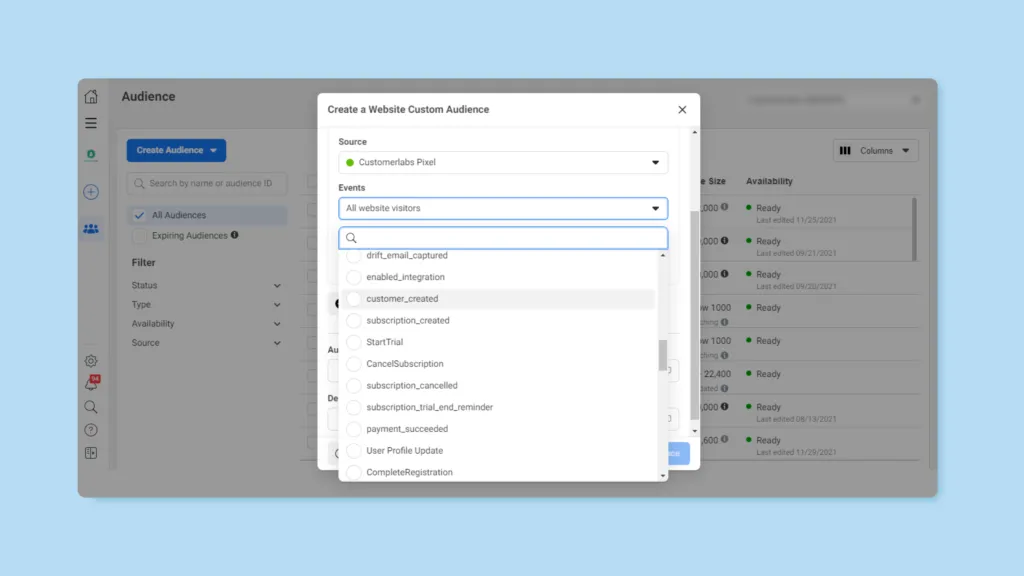
Click on Refine by and choose the parameters that you want to include and hit Create Audience.
Now trigger highly personalized ads for customers who fall under this category.
Example campaign that you run for your non-responsive leads
You can try and get a little creative by adding an image of the lead owner or a catchy text to grab your prospects attention or anything that you think will seal the deal!
Once you have the customer data you need, the possibilities are endless.
In this way, you cut through the noise & get in front of your cold prospects using CustomerLabs 1PD Ops.
Implement this playbook in less than 30 minutes by signing up for a trial here.
Have questions about this playbook? Feel free to get in touch with one of our product experts