Now live in CustomerLabs 1PD Ops is the ability to directly export your audience segment to a CSV in instances where you need to collate & analyze your customer data.
There are no limits on the number of CSVs that can be exported. You can export as many CSVs as required based on any filter criteria.
What does this mean for marketers?
With this feature update, we have addressed the common roadblock that marketers face - To get hands on with the data unified across all sources (website, cloud apps & servers) that are not visible in the segmentation screen.
Marketers can finally get to see a complete 360° profile of a customer with a click on a button saving tons of time.
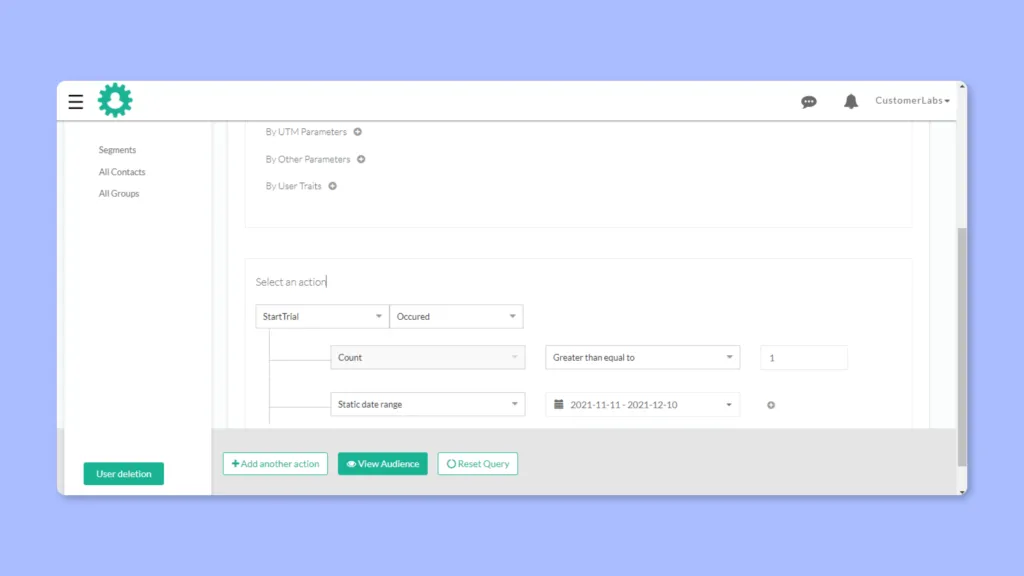
To get started, create a new segment by choosing your filter criteria under “Audience”. You create a segment based on events & narrow down using multiple filters such as Demographics, UTM parameters and User & Account traits
Once your segment is populated, click on “Download CSV” on the top right corner as shown below,
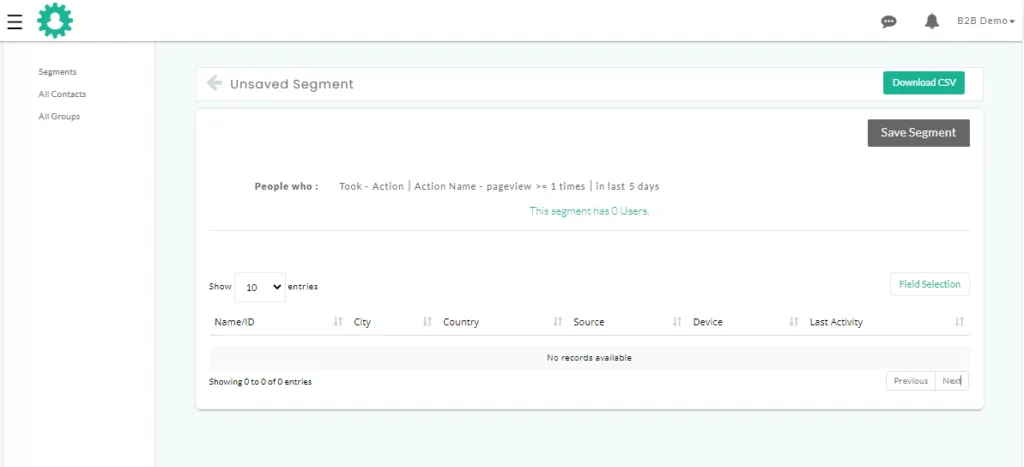
A general list of the data included in the exports include,
All user data
-
User ID
-
First name
-
Last name
-
Email address
-
Phone number
-
Role
-
Time zone
-
City
-
State
-
Continent
-
Source
-
Browser
-
Platform
-
Device
-
Last activity
-
Company name
-
Company address
-
Company website
-
Company Industry
External IDs
-
Facebook FBP
-
Google Analytics client ID
Apart from the above information, you will also be able to view traits of users received from other apps. Below is a list of sample traits from popular tools.
Note: The data you receive will depend completely on the tools you connect & the traits you configure.
Chargebee:
-
Chargebee customer ID
-
Plan details
-
Subscription start date etc.
Drift:
-
Drift customer ID
-
Email score
-
Email status etc.
Freshsales:
-
Freshsales lead ID
-
Lead score
-
Lead stage etc.
This update is now available for all users starting from the free trial to users in the growth plan. Start exporting CSVs now.